Task Labor Listing Screen Configuration
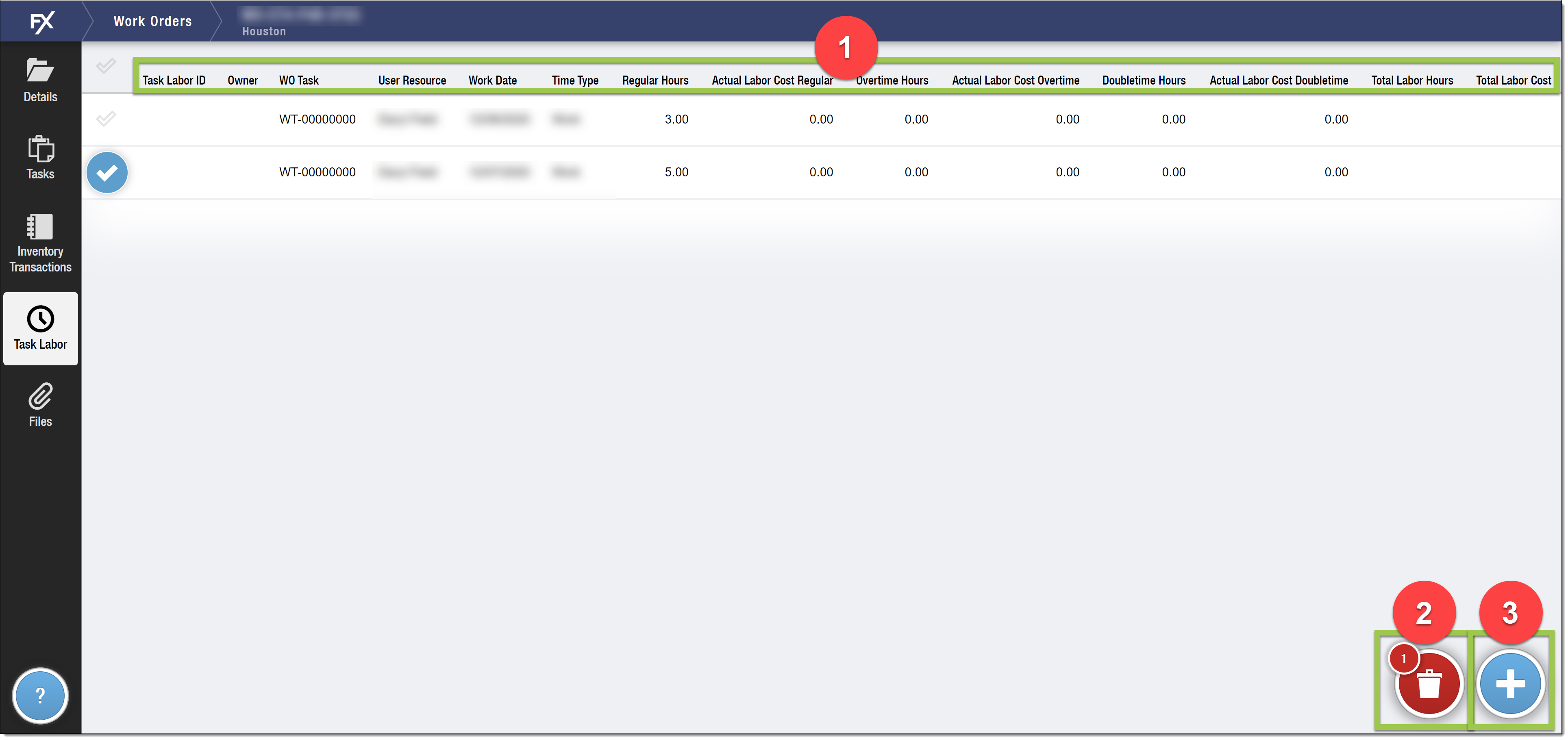
1: Task Labor Grid Columns
-
The fields on the Task Labor object’s Compact Layout determine the columns that display in the Task Labor Grid.
2: Delete Button
-
Displays when the user selects one or more Task Labor records and has access to the Delete permission for the
FX5__TaskLabor__cobject.
3: Create New Task Labor Button
-
User must have Create permissions to the
FX5__TaskLabor__cobject.